Ahsk Changelog
October 23, 2026
What’s new
- •Alan does more: he writes a reply where your cursor is, opens and closes apps, and tidies your Desktop, Downloads and Documents. He asks before anything big, never deletes a file, and “undo” takes it back.
- •Smarter guides: he plans the route first, never sends you round in circles, and keeps your follow-ups on track.
- •Ready when you are: ahsk opens when your computer starts, and new installs get a short tour on the pill. The live transcript in hands-free is now optional.
- •Safer: no service keys live in the apps any more, and your plan is checked on our servers.
- •Fixes: Ask on Windows works again, a paste that may not have landed always says so, and back-to-back hands-free takes no longer collide.
October 19, 2026
Meet Alan on Windows
- •Ask how, and he shows you: hold Ctrl + Win + Alt and ask Alan how to do something. He opens the page and a pointer flies to the next thing to click, outlined, with the step written beside it. Click it and the next step follows until you are there.
- •He talks you through it: each step is said out loud, in a voice you choose. Plain questions get a short spoken answer by your cursor. Esc stops him any time.
- •Points at the right thing: every step is checked against the program itself, so the outline hugs the real button, even a small one.
- •Make it yours: a new Alan tab in the Dashboard sets the pointer, the highlight, the colour, the size and his voice, with a preview.
October 18, 2026
Alan shows you how
- •Step-by-step guides on your screen: ask Alan how to do something, in any app, and a pointer flies to the next thing to click while he tells you what to do. He follows along as you click until it is done.
- •He talks you through it: short spoken directions for every step, in a voice you choose in Settings › Alan. Ask a follow-up any time; press Esc when you are finished.
- •Make it yours: pick the pointer, the highlight, the colour and the size in Settings › Alan › Guide.
- •Steadier microphone: recordings no longer switch microphones mid-sentence, and the pill now sits at the bottom of the screen by default.
October 16, 2026
Better quality, smoother to use
- •Dictation fits where it is going: emails come out with the greeting, body and sign-off on their own lines, lists are tidy, long updates get paragraphs, and in code editors and terminals file names and commands come out exact (@LoginView.swift, git status).
- •Names spelled right: ahsk reads the names and terms in the window you are dictating into, so a colleague’s name in the email you are answering comes out right without saving it. Saved words are recognised more reliably too.
- •See what you are saying: in hands-free, your words appear live in a card beside the pill. Esc cancels a hands-free take.
- •Nothing lost: if a transcription fails, your recording is kept and one click retries it. Formatting never drops a sentence you said.
- •A refreshed look: a compact pill showing the app you are dictating into, dark glass cards and launcher, a new download panel, a bright new onboarding and new sounds.
October 16, 2026
Smoother, and Alan is out of beta
- •Alan, for everyone: hold fn + Option and say what you want done. He reads what is on your screen and writes replies right at your cursor, and handles your calendar, reminders and messages, with Undo for anything he did.
- •A refreshed design: the pill, cards and launcher are made of Liquid Glass, onboarding is new and bright, and Settings is rebuilt to be clearer.
- •See what you are saying: in hands-free, your words appear live as you speak.
- •Better everyday use: new, subtler sounds, and dictation formats for where it is going: emails with a greeting and sign-off, tidy lists, and exact file names and commands in code editors and terminals.
October 15, 2026
New
- •Keep your PC awake with the lid closed: start Claude Code, Codex or any other agent, pick how long, close the lid, and come back to finished work. The screen turns off and everything keeps running. Choose 30 minutes to 4 hours, or until you stop it, from the tray (Keep awake with lid closed) or by typing awake 2h in the launcher.
- •You can see it is on: the tray menu and the tray icon show the time left. awake off in the launcher, or Stop in the tray, ends it.
- •Safe on battery: it stops by itself when the time is up, when the battery gets down to 15% unplugged, or when ahsk quits, and your own lid setting comes back — even after a crash or a restart.
October 15, 2026
Fixes
- •A dictation is never lost when a paste misses: if the program you dictated into did not take the text, it stays on your clipboard and a Copied to clipboard tile tells you to press Ctrl + V. Before, your old clipboard came back a second later and the dictation was gone.
- •Your clipboard comes back whole: a picture or files you had copied are put back after a dictation, not just text.
- •The microphone you pick is the one used: choosing a mic in the Dashboard takes effect right away, even if ahsk had set it aside a moment earlier for not sending sound.
- •No surprise switch to your headset: when a wired or built-in mic stops working mid-dictation, ahsk moves to another wired or built-in mic, never to a Bluetooth headset, which would put your audio into call quality.
October 14, 2026
New
- •Keep your Mac awake with the lid closed: start Claude Code, Codex or any other agent, pick how long, close the lid, and come back to finished work. Choose 30 minutes to 4 hours, or until you stop it, from the menu bar (Keep Awake with Lid Closed) or by typing awake 2h in the launcher.
- •You can see it is on: an eye and the time left sit in the menu bar. Click the eye to change the time, stop, or open its settings.
- •Safe on battery: it stops by itself when the time is up, when the battery gets down to 15% (you can change that in Settings › Account) or when the Mac restarts. The first time, macOS asks you to allow ahsk once in System Settings › Login Items.
Fixes
- •No false “Copied to clipboard” in Warp: a dictation that was pasted into Warp no longer shows the card as if it had missed.
October 13, 2026
Improvements
- •Your dictation is never lost: if nothing that takes text is selected, or the app you are in does not accept the paste, the dictation stays on your clipboard and a card says “Copied to clipboard”. Click where you want it and press ⌘V. This works in every app and on the desktop.
Fixes
- •Microphone switching with AirPods: ahsk now records from exactly the mic it chose, so connecting AirPods no longer pulls a Studio Display or USB mic recording onto them, and recordings no longer come out silent after a switch.
- •Smarter Automatic mic: a MacBook mic behind a closed lid is never picked, a wired mic is never swapped for earphones, and a mic you choose by hand is always used.
- •No more stuck recordings: stopping a dictation never waits on a slow microphone, so a Bluetooth headset that takes seconds to wake can no longer freeze the pill.
October 1, 2026
Clean Up
- •Free up space and memory from the launcher. Press Win + Space and type clean. Clean up lists everything that can go, with its size — temporary files, the thumbnail cache, crash reports, browser caches, old ahsk updates and the Recycle Bin — so you can untick what you want to keep. Clean up now does it in one press with what you last chose.
- •Memory too: trim apps you are not using, clear Windows’ standby cache (Windows asks for permission), or close the apps using the most memory — each one gets the chance to ask you to save first.
- •Safe by design: browser caches never include your logins, cookies or history, a browser’s cache is left alone while it is open, recent temporary files are kept, and the result shows what was actually freed.
- •Also in the tray as Clean up…. Under Dashboard › Shortcuts, Clean up without asking skips the list.
September 18, 2026
Fixes
- •A freeze during dictation: in rare cases the app could lock up while recording — the pill stopped, clicks did nothing and only Force Quit helped. The wait that caused it now gives up after two seconds and treats that dictation as lost, and the app stays responsive.
- •A stray error on the pill: “kAFAssistantErrorDomain error 1107” came from the on-device live preview, not from your dictation, and it threw the recording away. The preview now fails quietly and the dictation goes through.
September 15, 2026
Downloads That Work On Every PC
- •Video downloads failed on most PCs. YouTube links stopped with an error unless the PC happened to have extra software installed. ahsk now sets up everything a download needs the first time you open the panel — a one-time download with a progress bar — and 1080p, merged video and MP3 work everywhere.
- •Spotify: paste a track link and the song is saved as audio.
- •Plainer messages: a download that fails says why in a sentence, not in the downloader’s own error text.
Dictation & Microphone
- •Slow connections: recordings are sent about five times smaller, so dictation keeps up on weak Wi-Fi and hotspots. If the network cannot carry it, the pill says so instead of leaving you waiting.
- •No invented words: a cough or a silent pause no longer turns into “Thank you” or “Thanks for watching”.
- •A microphone that stops mid-dictation is replaced: ahsk reopens it, or switches to your next microphone and tells you which.
- •Your language first: on a new install, the language you speak starts as the language Windows is set to.
September 15, 2026
Dictation & Microphone
- •Slow connections: dictation now works well on weak Wi-Fi and mobile hotspots. If the network cannot carry your dictation within a few seconds, the pill tells you so instead of leaving you waiting.
- •Automatic microphone: wired mics come first (your display or the built-in), and Bluetooth earphones are used only when nothing else is available, so your earphones keep their sound quality while you dictate.
- •Notch Macs: Alan’s card and the answer card open from the notch.
September 15, 2026
Alan (beta)
- •Meet Alan: hold fn + Option (or click his face on the pill), say what you want done, let go. He works with your Calendar, Reminders, Contacts and Messages, acts right away and offers Undo. Sending a message or deleting something asks you first.
- •He remembers: tell him things like “my meetings are 30 minutes” and he applies them every time. See and edit what he keeps in Settings › Alan.
Downloads
- •Spotify: paste a track link and the song is saved as audio.
September 12, 2026
Tutorials & Fixes
- •Tutorials: short narrated videos for each thing ahsk does, with the keys to press under each, in Settings › Tutorials.
- •Fixes: microphone selection, including headsets.
September 11, 2026
Fixes
- •The selection bubble’s buttons did nothing on a second monitor. On a screen scaled differently from your main display — a 100% monitor beside a 125% laptop, say — every click on the bubble was read as a click outside it, so it closed before Ask, Rewrite, Translate, Copy, Search, Dictionary or Modes could respond. They work on every monitor again.
September 7, 2026
Translate What You Selected, In Its Own Window
- •A Translate window, on DeepL: highlight anything, click Translate in the selection bubble, and the translation opens in a window you can read, re-target and copy — the same window the Mac has had for a while. Twenty-seven languages, and it remembers the one you use.
- •Your dictation modes are in the bubble too: switch between Informal, Formal, Mail or your own without opening the dashboard.
A Pill You Can Actually See
- •Larger, and outlined at rest: the resting pill is wider and taller with a light grey edge, so it reads as an object sitting there rather than a mark on your wallpaper. The recording pill grew with it.
- •A stop button while recording, and resting the pointer on the pill opens a small bar with dictate and record-meeting buttons and a reminder of the chord.
Fixes
- •Downloads that need a signed-in viewer now say so. Instagram, and YouTube whenever it decides an IP looks like a bot, refuse to serve anything without a session — and the downloader was passing the whole technical failure through to you, which read as “video not found”. It now names the cause and tells you what to do.
- •Translate in the bubble did nothing on a web page. It was pasting its result over the selection, and a page is read-only, so the translation went nowhere. It opens the window instead.
- •The bubble no longer disappears while you are reaching for it. It timed out after five seconds even with the pointer resting on it.
- •The recording pill was drawn cut off at the bottom of its own window, and messages that belong above a pill placed at the bottom of the screen were drawn behind the taskbar where nobody saw them.
- •The meeting recording pill now matches the dictation pill instead of showing an icon in the wrong place.
September 4, 2026
Improvements & Fixes
- •A new setup: one gesture per screen, and the key you hold to dictate is now yours to choose — fn, or Right Option, Command or Control. Change it any time in Settings › Shortcuts.
- •Tutorials: a short video for each thing ahsk does, in Settings › Tutorials and once when setup finishes.
- •A smaller pill: it grows into the recording bar in one motion, and hovering it offers Dictate and Record meeting.
- •Emoji in Informal mode: say “cry emoji” and you get the emoji.
- •Search that forgives typing: “chrm” finds Chrome, “rprt” finds quarterly-report.pdf, and
findalso looks inside files. - •Fixes: the hints beside the pill sit where they belong, the activity map shows a day’s words as you point at it, and starting a meeting recording no longer quits the app.
September 3, 2026
A First Run That Actually Teaches You Something
- •One gesture per screen, inside a real app: the walkthrough now shows you a message thread, a mail draft and a launcher, and asks you to do the thing — hold to dictate, tap for hands-free, Win + Space to find anything. The instruction sits in the very box your words land in.
- •It checks the keys and the microphone before anything else: two plain questions — do the keys light up, do the bars move — and you cannot continue until they genuinely do. Everything after that can be trusted, and a microphone Windows has blocked is caught on the spot rather than three screens later.
- •The selection bubble gets a screen of its own: highlight text anywhere and a small bar appears above it, for asking about the selection, rewriting it, copying, searching, or teaching the word to your dictionary.
- •Sign in when it makes sense: you see what ahsk is before you are asked who you are, not the other way round.
- •A closing screen for everything else: meeting notes, the dictionary, snippets, voice modes, the video downloader, and where to find the full guide. Nothing you need on day one, all of it findable on day two.
An Activity Map on Home
- •Six months of squares, one per day, shaded by how much you dictated, with your day streak beside it.
- •It follows your account, not your machine: a laptop and a desktop now show the same history and the same streak. Before, each PC counted only its own days, so switching computers quietly broke a run you had not broken.
Cards That Say What Things Are For
- •Dictionary, Snippets and Notes each open with an explanation: what the feature is, why you would want it, and your own entries shown as examples. The lists underneath always explained how; none of them explained why.
- •Home reads in one glance: your activity and your dictation modes now share a row instead of stacking, and the mode cards scroll sideways. Manage beside them lands on the modes rather than the top of the settings page.
September 2, 2026
Meeting Notes
- •Record both sides of a meeting: press ⌥⇧R (or use the menu bar) and ahsk captures your microphone and the Mac’s own audio — Zoom, Meet, Teams, a browser tab — digitally, so headphones work and room noise stays out.
- •Notes written for you: when you stop, the recording is transcribed and turned into a summary, key points, decisions, checkbox action items and a mind map, saved as Markdown in ~/Documents/ahsk meetings.
- •A new Notes tab in Settings: your meetings as tiles — click one to open the full note in its own window. The red recording aura and the REC pill can be switched off there too.
- •10 hours a month on every plan. Dictation keeps working while a meeting records. Also available on Windows (1.14) with Ctrl+Win+R. Requires macOS 14.2 or later.
September 2, 2026
Find Your Files, Properly
- •It searches where your work actually is: add any folder under Dashboard › Launcher › Folders to search — a projects drive, a second disk — and find covers it. Before, it only looked inside your user folders, so anything on another drive was invisible.
- •Inside your documents, not just their names: ahsk asks Windows to index the folders you add, so searching a word that appears in a PDF or a report brings the file back.
- •Roughly what you remember is enough: type
rprtand quarterly-report.pdf comes up;budg24finds Budget_2024_final.xlsx. Spaces do not matter, sosetup exeworks. The same matching now applies to apps and running programs. - •Deeper, and quicker: the search goes twice as deep into your folders as before and skips build folders while it walks rather than after — which made it faster, not slower.
A Reminder You Can Speak Instead
- •It keeps reminding you: after eight characters typed in a row, a small note by the pill points out you could hold Ctrl + Win and say it instead. It used to appear three times in your first ten launches and then never again — which is exactly when people forget ahsk is there.
- •And it is one switch away: Dashboard › Shortcuts › Reminders turns it off for good.
- •The launch glow is back on every start: the blue glow and sound now play whenever ahsk starts, so you can see it is running.
September 1, 2026
Meeting Mode: Notes That Write Themselves
- •Record any meeting with Ctrl + Win + R: ahsk captures both sides — your microphone and the computer's own audio — so Zoom, Teams and Meet calls are covered whether you wear headphones or not. Tap the shortcut again, click the REC pill, or use the tray menu to stop.
- •Notes, action items and a mind map: when you stop, the recording is transcribed and organized into a summary, key points, decisions, checkbox action items and a mind-map diagram — ready in the moment the meeting ends.
- •The new Notes tab: every meeting lives in the ahsk dashboard. Open one to read it beautifully rendered, or grab the Markdown file. Two switches control the red screen glow and the corner REC pill that show while a recording is live.
- •10 hours a month: every account includes 10 hours of meeting recording per month.
August 31, 2026
Fixes & Improvements
- •The launcher closes when you tell it to: Esc now always dismisses the search bar, and clicking it brings it back into focus instead of leaving it open but unresponsive.
- •Dictation in the launcher: speaking with the search bar open now fills the bar and runs the query, instead of pasting into whichever app you used last.
August 31, 2026
Fixes & Improvements
- •Translate into English: English (plus Dutch and Turkish) joins the translation languages, so fn + Shift now covers every language you can dictate in.
- •A refreshed sign-in: the same look as ahsk on iPhone. Accounts are created on ahsk.app, and the app signs you out cleanly if your account no longer exists.
- •Reliability: the answer card no longer interferes with the fn key or Esc after heavy use, and onboarding warns when macOS has given your 🌐 key to the emoji picker.
August 30, 2026
Dictation In Your Language
- •Tell ahsk what you speak: Settings › Voice › Spoken language, or the new step in onboarding. ahsk now passes it to the transcriber, which makes dictation noticeably more accurate with an accent. Fourteen languages, or Auto-detect.
- •Fixed — non-English dictation was decoded as English: The language setting existed but was never sent, so every dictation was transcribed as if it were English. It is now honoured on every request.
- •Try translation before you need it: Pick the language fn + Shift translates into during onboarding and test both plain dictation and translation on the spot.
Your Numbers Are Yours
- •Fixed — a new account inherited the old one's totals: Signing in as someone else on the same Mac showed the previous account's words, dictations and history, and could write its longest session into the new account. Each account now starts from its own numbers, and signing out clears them from the Mac.
August 30, 2026
Download Any Video
- •Ctrl + Shift + D, paste a link, done: The panel opens with whatever link you just copied already in it. Pick Best, 1080p, 720p or 480p — or M4A / MP3 if you only want the audio — and it saves to your Videos folder. It is also in the tray menu.
- •YouTube and hundreds of other sites: ahsk keeps its own downloader up to date on its own, so the videos that break every few weeks keep working without you doing anything.
Equations That Look Like Equations
- •Ask something with maths in it: The answer now comes back as a real formula — stacked fractions, square roots, Greek letters, sums with their limits — exactly as it has always looked on the Mac. Before, an equation could come out as a line of code, or not at all.
Fixes
- •The shortcuts are solid again: Hands-free, Ask and Translate could stop responding, and a push-to-talk hold could end early if you touched another key. Fixed.
- •The glow means hands-free: The blue aura is back to marking hands-free dictation only — it is the one sign that the microphone stays open after you let go of the keys.
August 30, 2026
As Good As The Mac App
- •We heard you, and we built it: Windows started as the smaller ahsk — the one that could dictate but not much else. That gap is closed. Snippets, the selection bubble and its settings, the launcher, the dashboard, an automatic microphone, and now updates that install themselves. What ahsk does at your cursor on a Mac, it does on Windows.
Updates That Install Themselves
- •One click, and it is done: Click Update and ahsk downloads the new version, installs it and comes back on its own. No browser, no Downloads folder, no wizard to click through — and no “Windows protected your PC”, because ahsk fetches the installer itself instead of sending you to the browser.
- •The pill tells you where it is: The update pill in the sidebar counts the download up as it goes.
Snippets
- •Type
;mail, get the whole thing: A semicolon and a keyword, typed in any program, becomes the text you saved. Fourteen are there to start —;mail,;sig,;meeting,;date,;ty— and Dashboard › Snippets is where you add your own. - •They fill themselves in: Put
{date},{time}or{clipboard}in a snippet and it is filled in as it is pasted. - •In the launcher too: Win + Space, type
;, and pick one.
Settings And Small Things
- •The selection bubble, your way: Dashboard › Shortcuts switches the bubble off entirely, or hides the actions you never press.
- •Your referral code: On the Account tab, ready to copy. A friend who signs up with it gets 5,000 free words, and you get 10,000.
- •Out of free words: A card beside the pill says so, with the same sound as every other dead end, instead of a toast in the corner you might miss.
- •Home comes back: Finishing a get-started task used to leave you on whichever page it sent you to. It returns to Home when the task is done.
- •Keyword chips: In the launcher, type
ytand a space and the keyword folds into a chip with YouTube’s logo, out of the way of what you are typing.
August 29, 2026
ahsk, Revamped
- •The biggest release since 5.0: 6.5 and 6.6 together rebuild how ahsk looks and feels — the answer card, a guided first run, settings that follow dark mode with a new Home, a smarter microphone, a simpler plan, and updates that install themselves. The details are below and in the 6.5 notes.
Updates That Install Themselves
- •No more dragging: Click Update and ahsk downloads the new version, checks its signature, swaps it into Applications and relaunches. This is the last version you install by hand.
- •Checked for you: ahsk looks for a new version once a day and tells you when there is one; you decide when it installs.
August 29, 2026
Fix
- •Pro on every device: Accounts subscribed through the iPhone app's larger tier showed a Free plan on the Mac. They are recognised as Pro everywhere now.
August 29, 2026
The Answer Card
- •Insert lands everywhere: The card no longer takes keyboard focus, so your cursor stays live in the app you were in and Insert pastes where it belongs, including Chrome and web apps.
- •Keys that make sense: Return inserts the answer, Escape closes the card, Cmd+C copies. Hold fn or Option over the card to ask a follow-up; a pager lets you flip back through earlier answers.
- •One Fn tap sends a Rewrite: Ending a Rewrite or Ask recording used to take two taps. It takes one.
Guided First Run
- •A tour that watches you: For the first few launches a callout on the pill shows the next thing to try, and moves on by itself when you do it. Nothing to click through.
- •Nudges when you trip: Dictate with no text field focused, start typing when you could talk, or leave hands-free open, and a one-line hint tells you what to do instead. Each shows a few times at most.
- •We couldn't hear you: A silent take now explains why (a muted mic, a Bluetooth mic in call mode, a mic still waking up), lets you play back what was captured, and takes you straight to the microphone picker.
Settings
- •Dark mode: The whole settings window follows your system appearance.
- •A new Home: Your numbers on the hero tile, a get-started strip, the dictation modes as preview tiles, and your full dictation history with search.
- •Simpler navigation: Every tab opens with a title and a one-line description; the Notifications tab is now a single switch under Voice › Preferences.
Microphone
- •Automatic: ahsk now picks the best input by default: a wired mic first, then the built-in, Bluetooth last, and routes around a mic that goes silent.
- •In the menu bar: A Microphone submenu lists every input and lets you pin one without opening Settings.
Plan
- •10,000 free words: Credits are gone. Your first 10,000 dictated words are free, counted from this release; Pro is unlimited dictation for the same price.
Fixes
- •The selection bubble in browsers: It failed to appear when the page element under your click was a link or heading. It now reads the selection from any web content.
- •The notch after a short recording: It could stay expanded for good. It collapses every time.
August 28, 2026
One Key, Two Gestures
- •Tap fn for hands-free: A quick tap starts listening and keeps listening after you let go. Tap fn again to finish and paste. There is nothing else to learn.
- •Hold fn to talk: Push-to-talk is unchanged. Hold, speak, release, and your words land at the cursor.
- •Fn + Space is retired: The separate standby shortcut is gone, along with the hint that appeared when you pressed fn too briefly. A short press is now a gesture, not a mistake.
- •Hands-free winds down: A hands-free session that hears nothing for thirty seconds ends itself, so an accidental tap cannot leave your microphone open. If you did say something, it is transcribed.
Sounds That Keep Up
- •The start cue is instant: The sound used to arrive almost half a second after you pressed fn, because macOS puts the speaker to sleep between sounds and the first cue paid to wake it. ahsk now keeps that path warm, so the cue lands within a few milliseconds of the key.
- •Every failure has a sound: A microphone that will not open, a recording with nothing in it, a denied permission, a failed request: all of them play the same error cue once. Respond used to play three overlapping sounds on failure, one of them the success sound.
Your Clipboard, Untouched
- •Whatever you copied survives: Dictating used to hand back only plain text, so an image, a file or formatted text on your clipboard came back stripped or gone. ahsk now restores every type exactly as it found it.
- •No transcripts in your history: Every dictation was being recorded in clipboard history as something you copied, pushing out the things you actually copied. ahsk's own pastes are now invisible to it.
- •Fewer clipboard round-trips: Where an app allows it, dictated text is inserted directly at the cursor without touching the clipboard at all.
Your Voice Mode Is Yours
- •Onboarding no longer overwrites it: Trying the Email or Notes tab in the setup demo used to silently switch your voice mode to Mail or Formal for good. The demo now previews a mode without changing your choice.
- •Only dictation is formatted: Questions to the assistant, Respond, and Ask or Rewrite instructions went through the same formatter as dictation, so in Mail mode a question could be turned into an email before ahsk read it. They now go through as spoken.
- •Setup teaches both gestures: The dictation walkthrough explains holding and tapping, and the final screen lists every shortcut ahsk ships, including Translate and Respond.
Spotlight
- •It remembers what you meant: When you pick a result after typing a few letters, the bar remembers, and those letters bring that result to the top next time.
August 29, 2026
Launcher, Dressed
- •Real icons: App rows show the app’s own icon, files show what Explorer shows, and web searches carry the site’s logo —
ytis YouTube red,gptis ChatGPT. - •A Launcher page: Dashboard › Launcher holds the Win + Space switch, the full web-search list with logos, your own searches (keyword, name, address with
%s), and a cheat sheet of every command. - •Hints and keys: An empty bar explains what it takes; a footer shows the keys.
- •Taught on first run: The setup walkthrough now has a step for the selection bubble and one for the launcher, and the microphone step explains automatic selection.
- •Keyword logos: Type
ytand a space and the bar’s icon turns into YouTube’s; the same for every search keyword. - •Insert lands where you were: Clicking Insert on the answer card, or asking from the launcher, now puts your text field back in front before pasting. It used to paste into whichever window happened to be focused.
Automatic Microphone
- •It picks itself: Like the Mac app, ahsk records from a wired mic first, then the built-in, Bluetooth last, and switches the moment you plug one in or pull it out. Voice › Input lists every microphone with what it is; pin one if you prefer, and ahsk falls back to automatic if it goes away.
August 29, 2026
The Launcher
- •Win + Space: The Mac app’s Cmd + Space launcher, on Windows. Type an app name to open it,
finda file, search the web with a keyword (g,yt,gh,so…), do a quick sum,sleep,lockorempty trash,killa program, or press Enter on the last row to ask AI — the answer opens in the card. - •Your chord, your call: Windows uses Win + Space to switch keyboard languages. A switch under Dashboard › Shortcuts hands it back if you need it.
August 29, 2026
The Selection Bubble
- •Select text, get a bubble: Drag over text or double-click a word in any program and the same bubble as the Mac app appears under the pointer: Ask, Rewrite, Copy, Search Google and Add to dictionary.
- •Ask and Rewrite by voice: Pick one, say your question or instruction, tap
Ctrl + Win. The answer card opens with the reply; for a rewrite, Insert (or ↩) pastes it over your selection, which stays put because the bubble never takes focus. - •Works where the Mac one does: Notepad, Word, browsers, VS Code, Slack and Teams. It stays out of terminals and File Explorer.
Dictionary
- •Its own place: The dictionary now has an entry in the dashboard sidebar. It used to sit below the fold of the Voice tab, where nobody found it.
- •One dictionary per account: Windows now reads and writes the same word list as the Mac and iPhone apps, so the names you taught one of them are known to all of them.
August 29, 2026
Ask Works Again
- •Answers are back:
Ctrl + Win + Alistened and then reported that nothing went through. The search model behind it had been retired; Ask now uses the same Groq search model as the Mac app and streams the answer as it is written. - •The answer card: A dark card opens out of the pill with the question, the streamed answer, and Follow up, copy, regenerate and Insert. Press ↩ to insert at your cursor, Esc to close, and hold
Ctrl + Winwhile it is open to ask a follow-up — the card never takes focus, so your cursor stays put.
August 29, 2026
The Mac Dashboard, On Windows
- •Home: Your words dictated, pace, time saved and day streak on one card, the mode you dictate in, a get-started strip until every task is done, and your full history grouped by day with search and per-row copy.
- •Voice, Shortcuts, Account: Every setting has a home. Voice holds languages, the microphone, pill position (top or bottom of the screen), sound mute, dictation modes and your dictionary; Account shows your plan.
- •Dictation modes: Informal, Formal and Mail change how every dictation is written, and you can add your own instruction as a mode.
- •Follows Windows: The dashboard is light or dark to match your app mode, title bar included.
Learning The Gestures
- •First-run guide: A callout on the pill walks you through hold, release, hands-free and Ask, advancing as you do each one. Close it and it never comes back.
- •Nudges: One line when you dictate with nothing to type into, leave hands-free open until the limit, or type a burst where you could have spoken.
- •“We couldn’t hear you”: When a recording has no speech, a card says why, plays back what the mic captured, and takes you to the microphone settings.
Plan And Numbers
- •Free plan is 10,000 dictated words: Then Pro. Counted on your account across Mac, Windows and iPhone; the credit balance no longer gates anything.
- •Honest stats: Mic-open time is measured when you stop, not after transcription; pace is the median of recent dictations; an open mic can no longer zero your time saved.
August 27, 2026
Translation And Formatting Are Back
- •Translation works again:
Ctrl + Win + Twould listen to you, then report it couldn’t paste and leave your words untranslated on the clipboard. The service ahsk uses for translation retired its model without notice. Translation now runs on a faster replacement. - •Formatting is restored: The same retirement quietly switched off automatic cleanup, so dictation longer than a few words pasted without punctuation, capitalisation or paragraph breaks. It failed silently, with nothing on screen to tell you. That cleanup is back, and slightly quicker than before.
- •Worth updating: Everyone on 1.3.0 is affected by both, regardless of settings.
August 27, 2026
Shortcuts That Behave
- •Translate and Ask go hands-free properly:
Ctrl + Win + TandCtrl + Win + Anow keep listening after you let go, exactly likeCtrl + Win + Space. Before, the third key had to land within a quarter-second of the first two — miss that window and translate quietly fell back to push-to-talk, while a quick tap of Ask did nothing at all. - •Tap to stop means stop: Ending a hands-free session no longer risks starting a fresh one a split second later.
- •Shortcuts follow your keyboard: On AZERTY and QWERTZ layouts, T and A are now the keys actually printed on the keycaps.
- •Shortcuts stay alive: Windows sometimes silently drops an app's global shortcuts. ahsk now notices and re-registers them, including after sleep or unlocking your PC.
Recovers On Its Own
- •Swap headsets freely: Changing your default microphone, unplugging a headset, or connecting Bluetooth used to leave ahsk listening to a device that no longer existed — silently, until you restarted it. It now rebuilds its connection to whatever mic Windows is using, including after sleep or a lock screen.
- •No more silent failures: If a dictation can't reach the server or something goes wrong, ahsk says so under the pill instead of quietly doing nothing — and whatever it already transcribed lands on your clipboard so your words are never lost.
- •Admin windows explained: Windows blocks apps from typing into programs running as administrator. Instead of your text vanishing, ahsk copies it and tells you to press
Ctrl + V.
Smoother Day-to-Day
- •Clicking the icon does something: Launching ahsk while it's already running now opens your dashboard instead of appearing to do nothing.
- •A quieter start: The welcome chime and glow now play once, at the end of setup — not every time you sign in to Windows.
- •Hands-free winds down: Forgotten hands-free sessions stop themselves after five minutes and paste what you said.
- •Easier to help you: A new Open logs folder item in the tray menu gives support the detail it needs when something misbehaves, and ahsk checks for updates through the day rather than only at launch.
August 21, 2026
A New Look
- •Liquid Glass: The search bar and Settings now use Apple's new Liquid Glass material, so they pick up the colour and light of whatever sits behind them instead of floating as flat panels.
- •A familiar search bar: The launcher is now a rounded capsule that sits near the top of your screen, and your results grow out of it as one continuous panel rather than a separate box below it.
- •Less clutter: Trimmed the extra hint chip beside the search field so the bar stays quiet until you need it.
Microphones That Keep Working
- •Closing your lid no longer kills dictation: When your Mac switches audio hardware mid sentence, ahsk now notices within a second and recovers on its own instead of quietly recording nothing.
- •It moves to a mic that works: If your selected microphone stops sending audio, which is what happens to the built in mic in clamshell mode or to AirPods held in call mode, ahsk switches to a working microphone by itself and tells you which one it picked. The next recording starts on that one straight away.
- •Switching mics is reliable: Fixed the root cause behind recordings that came back silent after changing microphones. ahsk now reads the sample rate from the device itself rather than trusting a stale value, which is what made a freshly chosen mic capture pure silence.
- •Bluetooth mics get time to wake: AirPods and other Bluetooth microphones need a moment to negotiate before they can send audio, and ahsk now waits for them instead of cutting them off.
- •Real errors instead of silence: When no microphone on your Mac can record, ahsk names the device and says so, rather than reporting that it heard no speech.
Fixes
- •One recording indicator at a time: On a Mac with a notch plus an external display, moving your cursor between screens mid recording could leave the notch and the floating pill both showing at once. The indicator now stays where the recording started.
- •Faster Spotlight settings: Spotlight Settings opens directly from the menu bar icon, so you do not have to open Settings and then find the tab.
August 19, 2026
Microphone Reliability
- •USB and external mics work again: Some external microphones were recording pure silence — the app looked like it was listening and produced nothing. They now capture at full level.
- •Switching mics no longer breaks recording: Moving between microphones repeatedly could leave capture dead until you restarted ahsk. Switching is now clean every time.
- •An accurate microphone list: Settings no longer shows a phantom system device, and the list updates as you plug and unplug microphones instead of only when the window opens.
- •Tidier settings: Removed a status badge and a bell icon from the top bar that never did anything.
August 18, 2026
Fixes
- •Other apps keep their sound: While dictating alongside a call or recorder, ahsk no longer affects how loud you sound to them — the other app's audio is left exactly as it was.
- •No more copy crashes: Fixed a crash that could happen when ahsk read selected text while another app was busy with the clipboard, such as during a screen recording.
August 18, 2026
Dictate While You're in a Meeting
- •Your mic is no longer taken hostage: ahsk now shares your microphone with Zoom, Google Meet, Teams, Slack huddles and any screen recorder. Press your shortcut mid-call and dictate — the call keeps hearing you the whole time, and ahsk never steals the mic away from it.
- •Your call is left alone: ahsk never changes how you sound to the people you're talking to, and never takes the microphone away from the call.
ahsk Learns Your Words
- •Fix a name once, it stops getting it wrong: When you correct a misheard name or piece of jargon in your text, ahsk quietly notices and stops mis-hearing it next time — no lists to maintain, no confirmation prompts.
- •Stays on your Mac: Only the corrected word itself is ever saved, locally. What you typed it into is never read, stored or uploaded. Review or clear everything it has picked up in Settings → Voice → Learned words.
August 16, 2026
Smarter Transcriptions
- •Full transcript cleanup: Dictations now get the same intelligent cleanup as the Mac app — automatic punctuation and capitalization, filler-word removal ("um", "uh"), stutter collapse ("the the" → "the"), and spoken self-corrections ("no wait, Tuesday" keeps only Tuesday).
- •Speak symbols and code: Say "at sign" for @, spell out email addresses naturally, or dictate terminal commands — "git commit dash m" comes out as
git commit -m. - •Faster pasting: Removed a delay after transcription finished, so your words land at the cursor the moment they're ready.
Refined Experience
- •Message toasts under the pill: Helpful tips — like "Is your microphone muted?" when no audio is picked up, or how to hold Ctrl + Win to dictate — now appear as a clean toast right below the pill instead of cryptic silence.
- •Hands-free walkthrough: Onboarding now teaches standby mode: tap Ctrl + Win + Space to keep listening without holding the keys, tap Ctrl + Win to stop and paste.
- •Focused on dictation: This release doubles down on what matters — flawless voice typing. Experimental scratchpad and screen-capture features have been removed to keep the app fast and simple.
August 16, 2026
Rebuilt Microphone Engine
- •Every mic, first-class: The audio engine has been rebuilt from the ground up. External and Bluetooth microphones now work as smoothly as the built-in one — and switching mics mid-dictation no longer loses what you already said.
- •Instant recording starts: Recordings now begin the moment you press the shortcut, with no warm-up lag between dictations.
- •Your mic, your choice: Pick which microphone ahsk uses right from Settings — it applies only to ahsk and never changes your system-wide input device.
Clearer Recording Feedback
- •The waveform tells you everything: Amber means your mic is waking up, red means it can't hear you yet, white means you're live. No more guessing whether it caught your words.
- •"Didn't catch any audio" helper: If a recording picks up nothing, a small notice explains why and takes you straight to microphone selection.
New Options
- •Always-ready microphone: An optional mode that keeps the mic primed for truly instant starts — great for heavy dictation sessions. Privacy-first by design: while you're not recording, audio is discarded on your device the instant it arrives — nothing is stored, nothing leaves your Mac, and nothing is ever used for training. See our Privacy Policy for details.
- •Recording pill position: Choose whether the recording indicator lives at the top or bottom of your screen.
Fixes
- •No more phantom text: Staying silent during a recording no longer produces invented or repeated text in your transcription.
June 13, 2026
Improved Voice Transcription
- •More Accurate Transcription: Upgraded the speech engine for noticeably more accurate voice-to-text, with better handling of accents, fast speech, and noisy environments.
Smarter Formatting
- •Lists & Emails: Dictated lists and emails now format automatically — speak your items and they become clean bullet or numbered lists, and dictated emails get proper greetings, spacing, and sign-offs.
Bug Fixes & Improvements
- •Bug Fixes: Resolved several issues for a more stable and reliable experience throughout the app.
May 17, 2026
Ahsk is now on Windows
- •Push-to-talk on every Windows app: Hold Ctrl + Win anywhere in Windows, speak, release — your words paste at the cursor in whatever app has focus. Same flow as the Mac version, ported native to WPF/.NET 10.
- •Hands-free mode: Tap Ctrl + Win + Space during a hold (or any time mid-hold) to promote into continuous recording. Press Ctrl + Win again to stop and paste.
- •Screen-aware AI assistant: Hold Right Alt to capture the screen and ask a question by voice; the answer renders in a floating panel you can paste from.
- •Floating scratchpad: Dictation lands in a draggable panel with history when no text field is focused, so a transcript is never lost to a missing input box.
- •Get it now: Download for Windows (one-click installer, per-user install, no admin prompt). Or grab it from the homepage download button.
April 25, 2026
Improved Voice Engine
- •Better Transcriptions: The voice engine has been significantly improved for more accurate and reliable transcriptions, handling accents, fast speech, and noisy environments with greater precision.
Settings UI
- •Iterated Settings UI: The Settings interface has been refined with a cleaner layout, better organization, and improved usability so you can find and configure everything faster.
March 26, 2026
Bug Fixes & Improved Experience
- •Bug Fixes: Resolved multiple issues across the app for a more stable and reliable experience.
- •Improved Experience: Smoother interactions, faster responses, and polished UI throughout the app.
March 25, 2026
Captures
- •Save Text for Later: Introducing Captures — a new way to save text and AI responses for review later. Capture something interesting and come back to it whenever you need.
Web Search & Generator Fixes
- •Fixed Scroll in Real-Time Web Search: Resolved an issue where real-time web search results weren't scrolling properly, making it difficult to browse through results.
- •Improved Generator Responses: Generator output is now more reliable and consistent across all response types.
iOS App Launch
- •ahsk is now on iOS: We've officially launched the ahsk iOS app. Get voice-first AI on your iPhone — available now on the App Store.
March 21, 2026
Improved Spotlight UI
- •Redesigned Spotlight: The Spotlight launcher has been visually refined with a cleaner layout, better spacing, and improved readability across all result types.
Utilities
- •System-Level Actions: Execute system commands directly from the app — sleep, lock screen, empty trash, force quit apps, and more. No need to leave your workflow.
UX Improvements & Bug Fixes
- •Smoother Experience: Improved transitions, faster response times, and polished interactions throughout the app.
- •Bug Fixes: Resolved several edge cases and stability issues reported by users.
March 17, 2026
Spotlight Launcher
- •Cmd+Space Style Launcher: This is the update we've been building toward. A completely new launcher that brings everything to your fingertips — clipboard history, snippet expansion, file search, process kill, system commands, and AI query — all from one unified interface.
- •Clipboard History: Search and paste from your clipboard history. Never lose copied text again.
- •File Search: Type
findoropenfollowed by a filename to locate and open files instantly. - •Process Kill: Type
killfollowed by an app name to force quit unresponsive apps. - •System Commands: Run commands like
sleep,lock, andempty trashdirectly from the launcher. - •And a ton more: These are just the defaults — you can fully customize the launcher, add your own web search engines, create custom snippets, set up URL bookmarks, and more. Everything is configurable inside the app.
Snippet Expansion
- •Text Snippets: Create reusable text snippets triggered by a keyword prefix (
;or!). Type;emailin Spotlight to instantly expand your saved text. - •Dynamic Placeholders: Use
{date},{time}, and{clipboard}placeholders that auto-fill when the snippet expands. - •Create Your Own: Build your own library of snippets in Settings → Snippets tab. No limit — create as many as you need for emails, code templates, signatures, and anything you type frequently.
Web Search with 18+ Engines
- •Keyword + Query: Type a keyword and your search term to search any engine. Examples:
g best mac 2026(Google),yt swift tutorials(YouTube),gh swiftui components(GitHub). - •Search Engines: Google, YouTube, Reddit, X/Twitter, Stack Overflow, GitHub, npm, Wikipedia, Amazon, Hacker News.
- •AI Engines: Perplexity (
ps), ChatGPT (gpt), Gemini (gem), Claude (cl). - •Social & Google: Pinterest, LinkedIn, TikTok, Google Images, Google Drive, Google Maps.
- •URL Bookmarks: Add keyword-only shortcuts that open URLs directly — e.g.,
gm→ Gmail,cal→ Calendar.
Utility Actions & More
- •AI Query Fallback: Any text that doesn't match a keyword shows an "Ask AI" option — press Enter to chat with AI in the agent sidebar.
- •Migration System: Existing users automatically get all new engines and features on update. No setup needed.
- •This is just the beginning. Everything listed above ships as defaults — but you can fully customize the launcher, add your own search engines, create unlimited snippets, set up URL bookmarks, and build the workflow that fits you. We're incredibly proud of this release.
March 16, 2026
Introducing Actions
- •Actions Bubble Menu: A brand new customizable bubble menu that appears when you select text. Quickly access AI actions like rewrite, translate, summarize, and more — right where you work.
- •Plugin-Ready Architecture: Actions are built with extensibility in mind. More plugins coming soon to let you add your own custom actions and workflows.
Performance
- •Faster Web Search: Web search results now load significantly faster with optimized query processing and response streaming.
- •Faster Rewriting: AI rewriting is now noticeably quicker across all styles — professional, casual, concise, and elaborate.
Refreshed UI
- •New Interface Design: A major visual overhaul with a cleaner, more modern look. Improved layout, typography, and interactions throughout the entire app.
March 15, 2026
New Animation
- •Pill-to-Notch Expansion: A new fluid animation that expands from the pill to the notch on MacBooks with notch displays for a seamless, native-feeling interaction.
Critical Fixes
- •Memory Leak Fix: Fixed a retain cycle in the streaming API service that caused memory to leak on every API call.
- •Event Monitor Cleanup: Fixed duplicate event monitors stacking up during onboarding when navigating quickly between pages.
- •Notification Timer Fix: The recurring notification timer now properly stops on logout and quit instead of firing indefinitely.
Stability Improvements
- •Audio Engine Race Condition: Fixed a race condition during rapid audio device changes that could permanently lock recording.
- •App Cleanup on Quit: Pending debounce work items are now properly cancelled during app termination.
- •Speech Permission Handling: Users now receive clear feedback when speech recognition permission is denied or restricted.
March 12, 2026
Offline Transcription (no longer available)
- •Removed in a later release. Transcription now runs in the cloud on Whisper large-v3, which is what makes accuracy on accented and non-native English as good as it is. Your audio is never stored, and your dictionary and learned words stay on your device.
Improved Accuracy
- •Better Speech Recognition: Significant accuracy improvements across all accents and speaking styles. Technical vocabulary, proper nouns, and code terminology are now transcribed more reliably than ever.
- •Punctuation & Formatting: Smarter auto-punctuation and formatting for cleaner transcription output straight from your voice.
User Experience Improvements
- •Smoother Interactions: Refined animations, faster transitions, and a more responsive interface throughout the app.
- •Improved Onboarding: A streamlined setup experience to get new users up and running faster.
- •Better Accessibility: Enhanced keyboard navigation and VoiceOver support for a more inclusive experience.
Bug Fixes
- •Stability Improvements: Fixed multiple crashes and edge cases reported by users for a more reliable experience.
- •Memory Optimization: Reduced memory usage during long transcription sessions.
- •Audio Handling: Resolved intermittent issues with microphone input on certain hardware configurations.
February 22, 2026
Performance & Accuracy
- •Even Faster Transcription: Voice-to-text is now around 250ms - nearly instantaneous. Speak and see your words appear in real-time with virtually no delay.
- •Improved Transcription Accuracy: Significant improvements to speech recognition accuracy across all accents, speaking speeds, and background noise conditions. Technical terminology and proper nouns are now captured more reliably.
- •Optimized Voice Pipeline: Complete rewrite of the audio processing pipeline for lower latency and better resource efficiency.
UI Improvements
- •Refreshed Interface: Cleaner, more modern UI with improved visual hierarchy and smoother animations throughout the app.
- •Streamlined Settings: Reorganized settings panel for easier configuration and customization.
New Direction
- •Moving Toward Agentic Voice: This beta marks our shift toward a fully agentic voice assistant. We're removing legacy features that don't align with this vision to focus entirely on voice-first, AI-powered workflows.
- •Deprecated Features: Some older features have been removed in this release as we streamline the app for the agentic future. Feedback welcome on what you'd like to see return.
Bug Fixes
- •Stability Improvements: Fixed numerous crashes and edge cases reported by users.
- •Memory Optimization: Reduced memory footprint for better performance during long sessions.
- •Audio Device Handling: Improved reliability when switching between microphones and audio devices.
February 18, 2026
New Feature
- •Quick Answers: Get instant, concise AI responses for simple questions. Faster answers when you need them most.
February 18, 2026
Performance
- •Much Faster Transcription: Transcription is now significantly faster thanks to new mechanisms under the hood. Experience near-instant voice-to-text conversion with reduced latency across all voice features.
Bug Fixes
- •Audio Device Switching Fix: Resolved an issue where switching audio input devices would fail or cause instability. Device switching now works reliably across all microphones, headsets, and audio sources.
- •Stability Improvements: Fixed various bugs that caused occasional crashes and unexpected behavior. The app is now more reliable than ever.
Improvements
- •Enhanced Voice Recognition: Additional refinements to voice recognition for more accurate transcription across different accents, speaking styles, and ambient noise conditions.
- •Overall Stability: Comprehensive stability improvements throughout the app for a smoother, more reliable experience.
February 14, 2026
The Voice OS
- •A New Direction: Ahsk 4.0 marks a fundamental shift. We are no longer building a utility tool. We are building a voice-first operating layer for your Mac. This is the foundation for controlling your entire computer with your voice.
- •Complete Reimagination: The entire app has been rebuilt from the ground up with a new architecture designed for voice-first interaction. Every feature, every flow, every pixel has been reconsidered.
- •Voice as the Primary Interface: We believe the future of computing is voice. Ahsk 4.0 is our first step toward an OS where your voice is the primary way you interact with your machine.
New Architecture
- •Rebuilt Core Engine: Completely new voice processing pipeline with lower latency and higher accuracy. The foundation for everything that comes next.
- •Unified Voice Layer: All voice features now run through a single, optimized system. Voice typing, commands, and AI queries share the same intelligent backbone.
- •Extensible Framework: New architecture allows for rapid development of voice-controlled features. What you see today is just the beginning.
Enhanced Voice Capabilities
- •Faster Than Ever: Voice response times have been cut dramatically. Speak and see results appear almost instantly.
- •Smarter Understanding: Improved context awareness means Ahsk understands not just what you say, but what you mean. More natural conversations, fewer corrections.
- •System-Wide Voice Control: Voice commands now work more deeply across macOS. Control more of your Mac without touching the keyboard or mouse.
What This Means
- •For Developers: Vibe coding is now faster and more accurate. Dictate code, run terminal commands, and navigate your IDE entirely by voice.
- •For Writers: The fastest way to get words on screen. Think out loud and watch your thoughts become text.
- •For Everyone: The beginning of a new way to use your computer. Less clicking, less typing, more doing.
February 11, 2026
Enhanced Transcription
- •Upgraded Transcription Engine: Completely revamped voice-to-text conversion with improved accuracy, better punctuation handling, and smarter formatting. Your words are captured exactly as you intend them.
- •Technical Vocabulary Support: Enhanced recognition for technical terms, programming keywords, and domain-specific language. Perfect for developers, researchers, and professionals.
- •Vibe Coding Ready: Perfect for developers who want to code by voice. Transcription now accurately captures code terminology, function names, variable declarations, and programming syntax for seamless voice-driven development workflows.
- •Terminal & Git Command Support: Accurately transcribe terminal commands, git commands, npm/yarn commands, and any CLI operations. Works flawlessly across Terminal, iTerm, VS Code integrated terminal, Warp, and any command-line interface on any platform.
Stability & Performance
- •Rock-Solid Stability: Significant under-the-hood optimizations eliminate edge-case crashes and improve reliability. Ahsk now runs smoother than ever, even during extended sessions.
- •Memory Optimization: Reduced memory footprint for better performance on all Mac configurations. Experience faster load times and more responsive interactions.
User Experience
- •Fluid Animations: Refined animations and transitions throughout the app for a more polished, premium feel. Every interaction is now smoother and more satisfying.
- •Faster Response Times: Optimized processing pipelines mean quicker AI responses and near-instant transcription feedback. Less waiting, more doing.
February 4, 2026
Bug Fixes
- •Universal Transcription Copying: Fixed a critical bug where voice transcription text was only being pasted in certain apps. Transcription now copies and pastes reliably across all macOS applications - every text field, every app, every time.
Programming Environment Support
- •IDE Integration: Ahsk now works seamlessly in programming environments including VS Code, Xcode, IntelliJ IDEA, Sublime Text, and other popular IDEs. Voice typing, AI assistance, and text selection features are fully compatible with code editors.
- •Code-Aware Transcription: Improved transcription accuracy when working in programming contexts. Ahsk better understands technical terminology, function names, and programming syntax during voice dictation.
Terminal & Command-Line Support
- •Terminal Compatibility: Enhanced support for terminal applications including Terminal.app, iTerm2, Warp, and other command-line tools. Use voice typing and AI features directly in your shell environment.
- •Command Assistance: Ahsk now provides better assistance with terminal commands, shell scripting, and command-line workflows. Get AI-powered help right where you work with the command line.
February 1, 2026
UI Improvements
- •Improved UI: Refined user interface with visual enhancements and polished interactions for a better overall experience.
January 28, 2026
UI Improvements
- •Refreshed Visual Design: Completely overhauled user interface with modern aesthetics, improved layouts, and cleaner visual hierarchy. Every screen has been refined for a more polished look and feel.
- •Improved Interactions: More intuitive controls and smoother animations throughout the app. Navigating Ahsk now feels more natural and responsive.
- •Better Typography & Spacing: Enhanced readability with refined typography and improved spacing across all components.
Stability & Performance
- •Enhanced App Stability: Significant stability improvements across all features. Ahsk now runs more reliably than ever with fewer crashes and better error recovery.
- •Faster Load Times: Optimized performance for quicker app startup and smoother transitions between features.
- •Memory Optimizations: Reduced memory footprint for better performance during extended usage sessions.
January 28, 2026
Performance Improvements
- •Much Faster Voice Mode: Voice typing is now significantly faster with optimized audio processing and transcription. Experience near-instant text appearance as you speak, making dictation feel more natural and responsive than ever before.
Stability & Reliability
- •Enhanced App Stability: Major stability improvements throughout the app. Ahsk now runs more reliably with fewer crashes and better error recovery. Experience consistent, dependable performance throughout your entire workday.
Bug Fixes
- •Various Bug Fixes: Resolved multiple bugs and issues reported by users. The app is now smoother and more reliable across all features.
January 22, 2026
Stability & Reliability
- •Enhanced App Stability: Major stability improvements across all features. Ahsk now runs more reliably than ever, with fewer crashes and better error recovery. Experience consistent, dependable performance throughout your entire workday.
- •Improved User Experience: Refined interactions and smoother workflows throughout the app. Every feature has been polished for a more intuitive and seamless experience, making Ahsk even more pleasant to use.
Bug Fixes
- •Translation Fix: Resolved issues with the translation feature that caused occasional errors. Translations are now more accurate and reliable across all supported languages.
January 18, 2026
Performance Improvements
- •Lightning-Fast Voice Transcription: Voice typing is now significantly faster with approximately 500ms transcription time. Experience near-instant text appearance as you speak, making dictation feel more natural and responsive than ever before.
- •More Fluid Experience: Optimized voice processing pipeline delivers a smoother, more fluid voice typing experience. The improved responsiveness makes long-form dictation feel effortless and seamless.
- •Enhanced Stability: Improved app stability across all features with better error handling and resource management. Ahsk now runs more reliably during extended usage sessions, ensuring consistent performance throughout your workday.
- •Optimized Performance: Reduced CPU and memory usage for better battery life and system performance. Voice typing now runs more efficiently, allowing you to work longer without impacting your Mac's performance.
January 16, 2026
Voice Typing - System-Wide Dictation
- •Voice Typing Anywhere: Transform your voice into text instantly, anywhere on your Mac. Inspired by WhisperFlow, this feature lets you dictate naturally and watch your words appear with perfect punctuation and formatting. Works in every app - from emails to documents to code editors.
- •Two Activation Modes: Press and hold fn (or 🌐 globe key) and start talking. After 5 seconds, you can release the key and continue talking. Press fn again to stop and transcribe. For standby mode by default, use ⌥⇧V instead. Choose the mode that fits your workflow best.
- •Smart Punctuation: Speak naturally and Ahsk automatically adds punctuation, capitalization, and proper formatting. No need to say "comma" or "period" - just talk like you normally would, and the AI understands where punctuation belongs.
- •Faster Than Typing: Most people speak 150+ words per minute but type only 40-60 WPM. Voice typing lets you capture thoughts 3x faster than traditional typing. Perfect for drafting emails, writing documents, or brainstorming ideas when your hands are busy.
- •Real-Time Transcription: See your words appear as you speak with lightning-fast transcription. Advanced speech recognition captures every word accurately, even with accents or technical terminology.
- •Universal Compatibility: Works seamlessly in Mail, Messages, Slack, Google Docs, Notion, VS Code, and every other Mac application. True system-wide voice typing that goes wherever you need it.
Productivity Gains
- •Write Emails in Seconds: Dictate entire emails while making coffee or commuting. What used to take 10 minutes of typing now takes 2 minutes of speaking.
- •Capture Ideas Instantly: Don't lose thoughts waiting to type them. Speak your ideas immediately and move on. Perfect for note-taking, journaling, or creative writing.
- •Hands-Free Workflow: Keep working while dictating. Reference documents on screen while speaking, or multitask without breaking your flow.
January 9, 2026
Context Feature (no longer available)
- •Removed in a later release. Loading PDFs as context is not part of the current apps.
- •PDF Context Loading: Introduce context to your AI conversations by loading PDF documents. Upload any PDF and Ahsk uses it as reference material when generating responses, making answers more relevant and accurate to your specific documents.
- •Smart Context Management: Easily manage your loaded context with the new X button. Add or remove context documents on the fly to keep your AI responses focused on the most relevant information.
- •Faster, More Relevant Replies: By providing context through PDFs, Ahsk can generate responses that are specifically tailored to your documents, research papers, or study materials. Get instant answers that reference your exact sources.
- •Context-Aware Conversations: Once you load a PDF context, all your queries automatically leverage that information. Ask questions about your documents and get precise answers without having to manually copy-paste content.
Fun Features
- •Twitter Integration: A fun new feature that brings social media connectivity to Ahsk. Share your insights and interact with the Ahsk community directly from the app.
January 4, 2026
Customization Enhancements
- •Force Bubble Menu Button Customization: Now you can customize the force bubble menu button to match your preferences. Access this new setting to personalize how the force menu appears and behaves when activated with the Option key.
Stability & Performance
- •Improved App Stability: Fixed several stability issues to ensure smoother performance and fewer crashes during extended use.
- •Bug Fixes: Resolved various bugs reported by users to improve overall reliability and user experience.
- •Performance Optimizations: Enhanced app performance for faster response times and more efficient resource usage.
January 3, 2026
Voice Input Feature
- •Voice-Activated AI Search (⌥⇧V): Press Option + Shift + V to activate voice input mode from anywhere. Speak your query naturally and Ahsk converts your speech to text in real-time, then instantly sends it to AI for processing.
- •Real-Time Speech Recognition: Advanced speech-to-text technology captures your voice with high accuracy. Perfect for hands-free queries when typing isn't convenient - while cooking, commuting, or when you need to quickly capture thoughts.
- •Animated Voice UI: Beautiful, animated interface shows real-time visual feedback while you speak. Clean, minimal design keeps you focused on what matters - getting your question answered.
- •Seamless Spotlight Integration: Voice transcriptions are automatically sent to Ahsk's AI engine. Get instant answers to spoken questions without touching your keyboard.
- •Natural Conversation Flow: Speak naturally as if talking to a person. No need to memorize special commands or speak robotically - just ask your question normally and Ahsk understands.
Customizable Keyboard Shortcuts
- •Personalize All Global Shortcuts: Full control over all 5 keyboard shortcuts (Global Search, Screenshot Analysis, Video Downloader, Voice Input, and more). Customize them to match your workflow and muscle memory.
- •Settings Window for Shortcuts: Dedicated, intuitive settings interface to view and modify all your keyboard shortcuts in one place. See all shortcuts at a glance and change them with simple clicks.
- •Smart Conflict Detection: Ahsk automatically detects when you try to assign a shortcut that's already in use and prevents conflicts. Get instant warnings before creating duplicate shortcuts.
- •Intelligent Shortcut Swapping: If you assign a shortcut that's already taken, Ahsk intelligently offers to swap the shortcuts between features. No more manual shuffling - just confirm and the swap happens instantly.
- •Persistent Custom Shortcuts: Your customized shortcuts are saved permanently and persist across app restarts and system reboots. Set it once and your personalized workflow stays with you.
- •Default Reset Option: Made a mistake or want to start fresh? Reset all shortcuts back to their defaults with a single click. Easily experiment with different configurations.
December 31, 2025
Major Features
- •Work Session Management: Introducing project-based context workspaces! Start a work session and all your queries automatically share context throughout your entire session. Ask questions about your code, research, or project - and reference anything from earlier in your session without repeating yourself. It's like having a persistent AI assistant that remembers everything you've been working on.
- •Session-Wide Context Awareness: Every query during your session knows about previous conversations. Ask "What was that function I asked about earlier?" or "How does this relate to what we discussed before?" and Ahsk instantly understands. Perfect for deep work sessions, research projects, and complex problem-solving.
- •Independent Query Support: While maintaining session context, you can still ask completely independent questions at any time. Ahsk intelligently manages context to avoid pollution - giving you the best of both worlds: persistent memory when you need it, fresh context when you want it.
- •Project-Focused Workflow: Work sessions act like dedicated workspaces for each project or task. Start a session for debugging, another for writing, another for research - each maintains its own context boundary. Sessions end when you choose, giving you complete control over context lifecycle.
- •Smart Context Management: No more context pollution or confusion. Ahsk automatically organizes your work into clean, manageable sessions. Reference previous queries within a session effortlessly, while keeping different projects completely separate.
Improvements
- •Enhanced Equation Rendering: Mathematical formulas and equations now render beautifully with improved LaTeX support. Complex mathematical notation displays perfectly, making Ahsk even better for students, researchers, and technical professionals working with math and science.
- •Redesigned History UI: Completely overhauled history interface with better organization, cleaner visual design, and improved navigation. Find your past conversations faster and manage your history more efficiently with the new intuitive layout.
- •Session Indicators: Visual indicators show when you're in an active work session, making it clear when queries will share context. Easy-to-use controls to start, pause, or end sessions right from the interface.
- •Copy Icon After Selection: A convenient copy icon now appears after text selection, making it easier to copy content with a single click. This small but useful addition streamlines your workflow when you need to quickly copy responses or selected text.
December 25, 2025
New Features
- •Follow-up Questions: Continue your conversations seamlessly! Now you can ask follow-up questions on both screenshot analysis and global search queries. Get deeper insights and more refined answers without starting over.
- •Contextual Conversations: The AI remembers your previous questions and screenshots, allowing for natural, context-aware conversations. Perfect for diving deeper into complex topics or getting clarification on previous responses.
- •Enhanced Screenshot Analysis: After analyzing a screenshot, ask multiple follow-up questions to explore different aspects of the image. Great for detailed code reviews, design critiques, or understanding complex diagrams.
- •Persistent Search Context: When using global search, your conversation history is maintained. Build on previous answers and explore topics in depth without repeating context.
December 19, 2025
New Features
- •Background Download Button: Download Ahsk seamlessly in the background without interrupting your workflow. No more blocking downloads - just click and continue working.
- •Product Hunt Launch Coming Soon: Ahsk is preparing for its official public launch on Product Hunt! Stay tuned for exclusive early-bird offers and special pricing for our community.
Bug Fixes & Stability
- •Fixed Critical Crashes: Resolved stability issues that caused unexpected crashes on certain macOS configurations. Ahsk now runs smoothly across all supported systems.
- •Memory Leak Fixes: Fixed memory leaks that occurred during extended usage sessions. The app now uses resources more efficiently for all-day productivity.
- •Improved Launch Reliability: No more hanging on startup. We optimized the app initialization process for faster, more reliable launches every time.
- •Enhanced macOS Compatibility: Improved compatibility with macOS Sequoia and older versions. Ahsk now works flawlessly whether you're on the latest OS or sticking with what works for you.
Performance Improvements
- •Smoother Performance: Optimized resource usage across all features. Ahsk feels faster and more responsive throughout your workflow.
- •Faster Response Times: AI queries and text processing are now faster than ever. Get instant answers without any lag.
- •Stable Background Processes: Background tasks are now more stable and efficient, ensuring uninterrupted productivity all day long.
December 18, 2025
Bug Fixes & Polish
- •Fixed that annoying icon cut-off issue: You know how sometimes the menu icons were getting chopped off at the edges? Yeah, we fixed that. Made the popover window bigger so everything fits nicely now.
- •New flashcards icon: Changed the flashcards icon to something that actually looks like stacked cards. The old one was confusing and looked too similar to the copy button.
- •Better spacing around the notch: If you have a MacBook with the notch, the popover now positions itself properly and doesn't look weird near the top of your screen anymore.
- •Icons are centered properly now: All the icons in the menu are perfectly centered vertically. Small thing, but it looks way cleaner.
Performance
- •Faster on Intel Macs: We added some smart caching that makes the popover show up quicker, especially if you're on an Intel Mac. Should feel snappier now.
December 18, 2025
Instant Text Translation
- •One-Click Translation: Select any text in any app and click "Translate" to instantly convert it into your preferred language. Works seamlessly across Safari, Mail, Documents, Slack, and every application on your Mac.
- •Multi-Language Support: Translate text accurately into dozens of languages including Spanish, French, German, Chinese, Japanese, Korean, Arabic, and many more. Perfect for international communication and language learning.
- •Context-Aware Translation: AI-powered translation understands context and nuance, delivering natural-sounding translations that preserve the original meaning and tone.
- •Instant Results: No need to copy-paste into Google Translate or switch to translation apps. Highlight text, click Translate, and get accurate results immediately in your workflow.
- •Universal Compatibility: Works everywhere on macOS - translate emails, research papers, social media posts, documentation, or any text you encounter while browsing or working.
Default Translation Language
- •Set Your Preferred Language: Configure your default translation language in settings, and Ahsk will automatically translate selected text to that language with one click. No need to choose the target language every time.
- •One-Click Auto Translation: Once you set your default language (e.g., Spanish, French, Chinese), simply select any text and click "Translate" - it instantly converts to your preferred language without additional steps.
- •Seamless Workflow: Perfect for users who frequently translate to the same language. Students learning a language, international professionals, or anyone reading foreign content regularly will save significant time.
- •Easy to Change: Switch your default language anytime from settings. Ideal for multilingual users who switch between different target languages for different tasks or projects.
- •Smart Defaults: Ahsk remembers your preference across all apps and sessions, making translation faster and more convenient than ever before.
December 15, 2025
Social Media Video Downloader
- •Quick Download Shortcut (⌥⇧D): Press Option + Shift + D to instantly open the video downloader. No need to navigate menus - just use the keyboard shortcut from anywhere.
- •Multi-Platform Support: Download videos from YouTube, TikTok, Instagram, and other popular social media platforms. Simply paste the video link and Ahsk handles the rest.
- •Instant Downloads: Paste any video URL and download it directly to your Mac. Perfect for saving content for offline viewing, research, or archiving.
- •Simple Interface: Clean, minimal dialog box - just paste the link and press enter. Downloads start immediately with no complicated settings or options.
December 14, 2025
History UI Improvements
- •Redesigned History Window: Completely overhauled history interface with a larger window (1000x700), transparent titlebar, and native macOS source list styling for a more polished experience.
- •Enhanced Visual Design: Larger icon backgrounds (40px) with rounded corners, better spacing, and improved empty states with larger, clearer icons for a cleaner look.
- •Screenshot Indicators: History items with screenshots now display a 📸 indicator in the sidebar, making it easy to identify screenshot-based queries at a glance.
- •Individual Item Management: New Delete button for each history item, allowing you to remove individual entries and keep your history organized.
- •Optimized Layout: Fixed layout issues - screenshot images now display only for screenshot items at the top, with no extra spacing for regular text queries.
Screenshot Storage & Persistence
- •Permanent Screenshot Storage: Screenshots are now saved permanently to your Mac at ~/Library/Application Support/ahsk/history_screenshots/, ensuring you never lose important visual context.
- •Automatic Screenshot Management: When you delete a history item with a screenshot, the associated image file is automatically cleaned up to save disk space.
- •Smart Cleanup: Orphaned screenshots are automatically detected and removed on app startup, keeping your storage clean and organized.
- •Seamless Integration: Screenshots captured via the screenshot feature are now automatically saved with your history, creating a complete record of your queries.
Force Menu with Option Key
- •Option (⌥) Key Override: Press and hold Option after selecting text to force the Ahsk menu to appear - works in any app, including MS Word, browsers, Electron apps, and other challenging applications.
- •Enhanced Text Selection: Improved text capture with extended wait times (500ms) for slower applications like Microsoft Word, ensuring reliable text extraction.
- •Better Compatibility: Added dual event monitors (global and local) for the Option key, providing more reliable menu triggering across different app contexts.
- •Smart Clipboard Handling: Improved Cmd+C simulation with better timing, fallback content checks, and async clipboard restoration to avoid interfering with your workflow.
December 6, 2025
Lecture Mode (replaced by Meeting Notes)
- •Replaced by Meeting Notes. Recording a class or a meeting now lives in Meeting Notes, which records your microphone and your computer's own audio as separate tracks and writes a summary with decisions and action items.
- •Record Your Lectures Effortlessly: Turn on Lecture Mode from the menu bar and start recording your classes. Ahsk captures everything, so you can focus on learning instead of note-taking.
- •AI-Powered Transcription & Notes: Once recording is complete, AI analyzes the entire lecture, provides accurate transcriptions, generates comprehensive notes, and creates follow-up questions. Everything is automatically saved to your Notes for easy review.
- •Built for Students: Perfect for college lectures, online classes, study sessions, and seminars. Never miss important information again. Access your lecture recordings, transcriptions, and AI-generated notes anytime from your Notes.
November 28, 2025
Enhanced Prompts for Prompts & Images
- •Enhanced Prompt Rewriting: Transform your prompts into more effective versions. Select any prompt text and Ahsk will enhance it for better AI responses. Get refined, clearer prompts that deliver exactly what you need.
- •Image Prompt Generation: Describe an image you want to create, and Ahsk generates a perfectly structured JSON prompt optimized for image generation models. Get professional-quality prompts without the guesswork.
Focus Sessions
- •Block Distractions, Stay Productive: Start a focus session to block distracting apps and stay in the zone. Select which apps to block, set your session duration, and maintain deep work without interruptions. Perfect for productivity and concentration.
- •Customizable Focus Mode: Choose exactly which apps to block during your focus sessions. Whether it's social media, messaging apps, or games - take control of your attention and maximize productivity.
Flashcards
- •Create Custom Flashcard Decks: Build your personal study system from any information. Transform important concepts, definitions, or code snippets into flashcards for effective learning.
- •Organize & Revise: Organize knowledge into decks and revise important concepts later. Perfect for learning new skills, studying for exams, or retaining key information over time.
November 15, 2025
Press or Click
New Features
- •Screenshot Analysis Shortcut (⌥⇧S): Press Option + Shift + S to instantly select any screenshot and ask questions about it. Perfect for analyzing images, diagrams, charts, or any visual content on your screen.
- •Visual AI Understanding: Ahsk can now analyze screenshots and provide detailed explanations, making it easier to understand complex visuals, debug interface issues, or get insights from images.
- •Add to Notes: Save important information and responses to your notes with a single click on the notes icon. Review your saved content anytime, making it easy to keep track of useful insights and answers.
Improvements
- •Seamless screenshot workflow - capture, select, and analyze in seconds.
- •Enhanced multimodal capabilities for better image understanding.
- •Organized note-taking system for better information management.
November 5, 2025
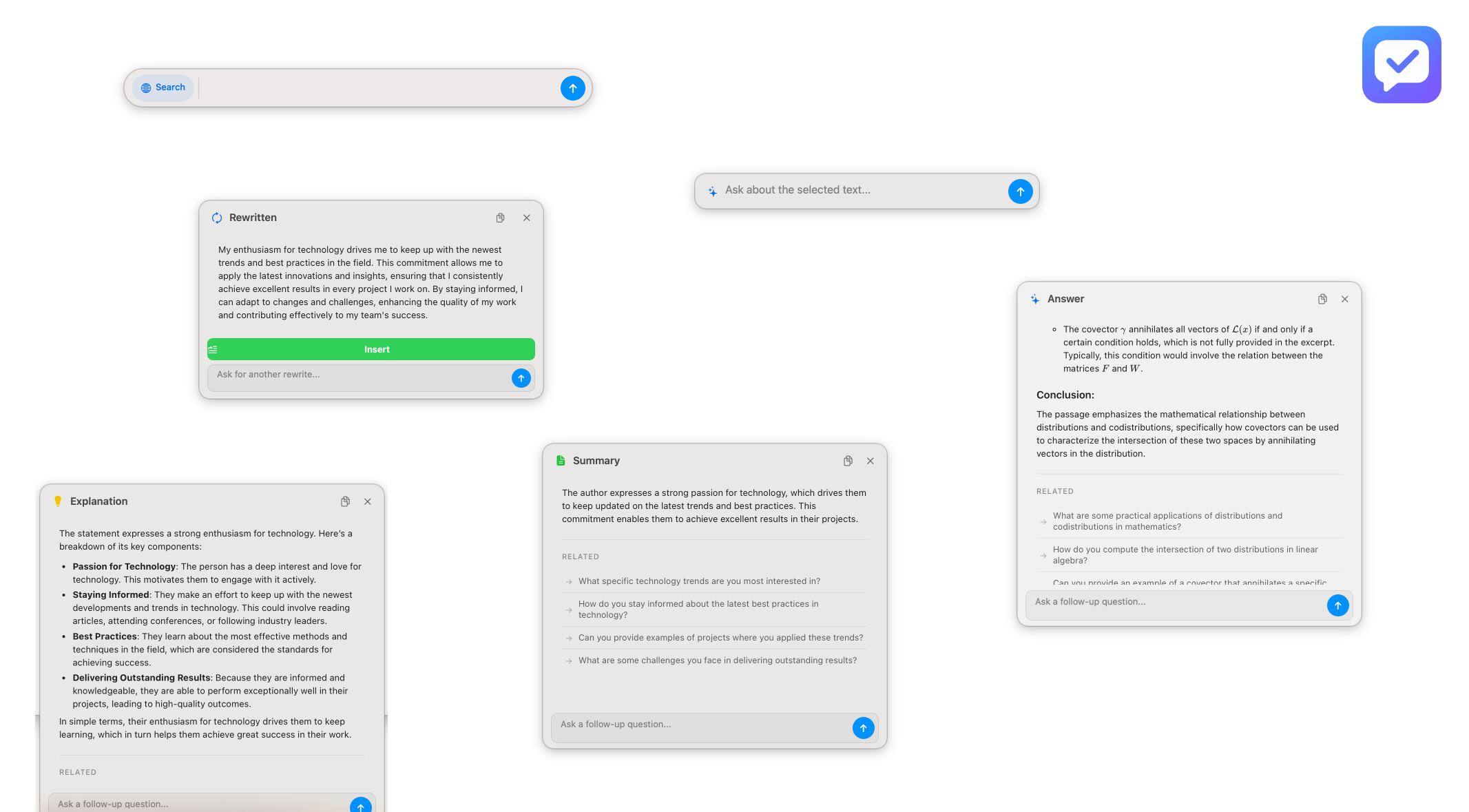
Improvements
- •Enhanced UI Design: Completely refreshed user interface with improved visual hierarchy and modern design elements for a more intuitive experience.
- •Better UX Flow: Streamlined interactions and smoother transitions throughout the app, making it easier to navigate and use Ahsk efficiently.
- •Improved Responsiveness: Enhanced performance and faster response times for all features, providing a more seamless workflow.
October 25, 2025
Press or Click
New Features
- •Global Search Shortcut (⌥⇧A): Access Ahsk instantly from anywhere with Option + Shift + A. A powerful search bar appears with internet search capability enabled by default.
- •Internet Search Toggle: Click the search button to toggle internet search on/off. When enabled, get the latest information from the web. When disabled, get fast responses from our AI model.
Improvements
- •Faster access to Ahsk without selecting text first.
- •Real-time information at your fingertips with internet search integration.
October 15, 2025
New Features
- •Formula Rendering: Mathematical formulas and equations are now properly rendered in responses, making it easier for technical students to understand complex mathematical concepts without confusion.
- •Follow-up Feature: Continue the conversation by asking follow-up questions on your previous queries. Get more refined and better answers without starting over.
Improvements
- •Enhanced answer clarity through proper mathematical notation display.
- •Better contextual understanding for technical and educational use cases.
September 20, 2025
Core Features
- •Select any text on your Mac and get instant AI-powered answers without leaving your workflow.
- •Transform your text with multiple styles - professional, casual, concise, or elaborate.
- •Works seamlessly across all macOS applications including Safari, Slack, Mail, VS Code, and more.
System
- •Flexible usage with a simple credit system. Credits never expire.
- •Deep macOS integration using native text selection - no copy-paste needed.
- •Initial release with stable performance across macOS 12 and above.